


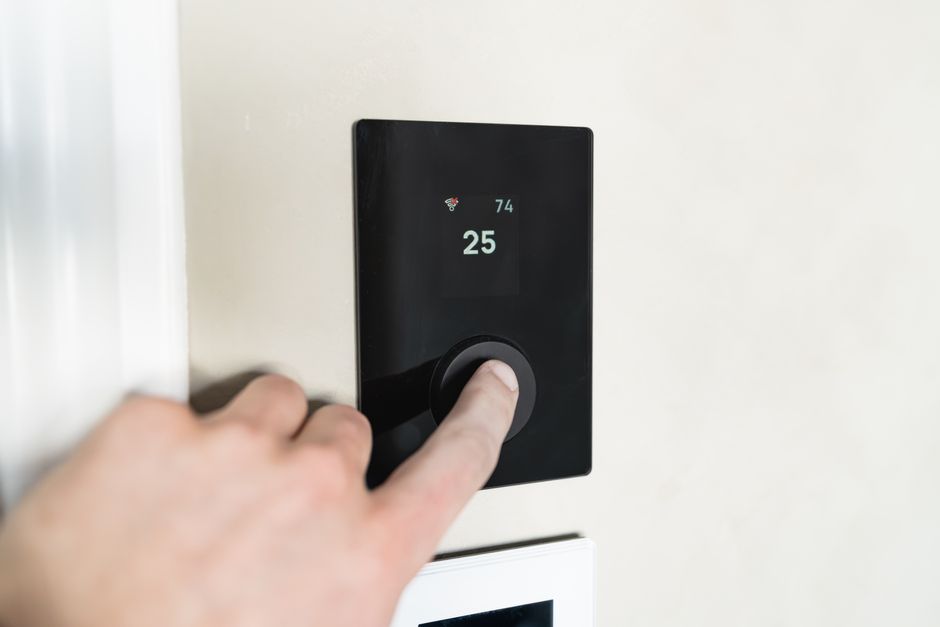
What to Do When Your AC Thermostat Is Not Working
If your AC thermostat is not working, the fix is usually simpler than you think. Here are the most common causes and first steps to try:
Quick Answer: Most Common Reasons Your AC Thermostat Stops Working
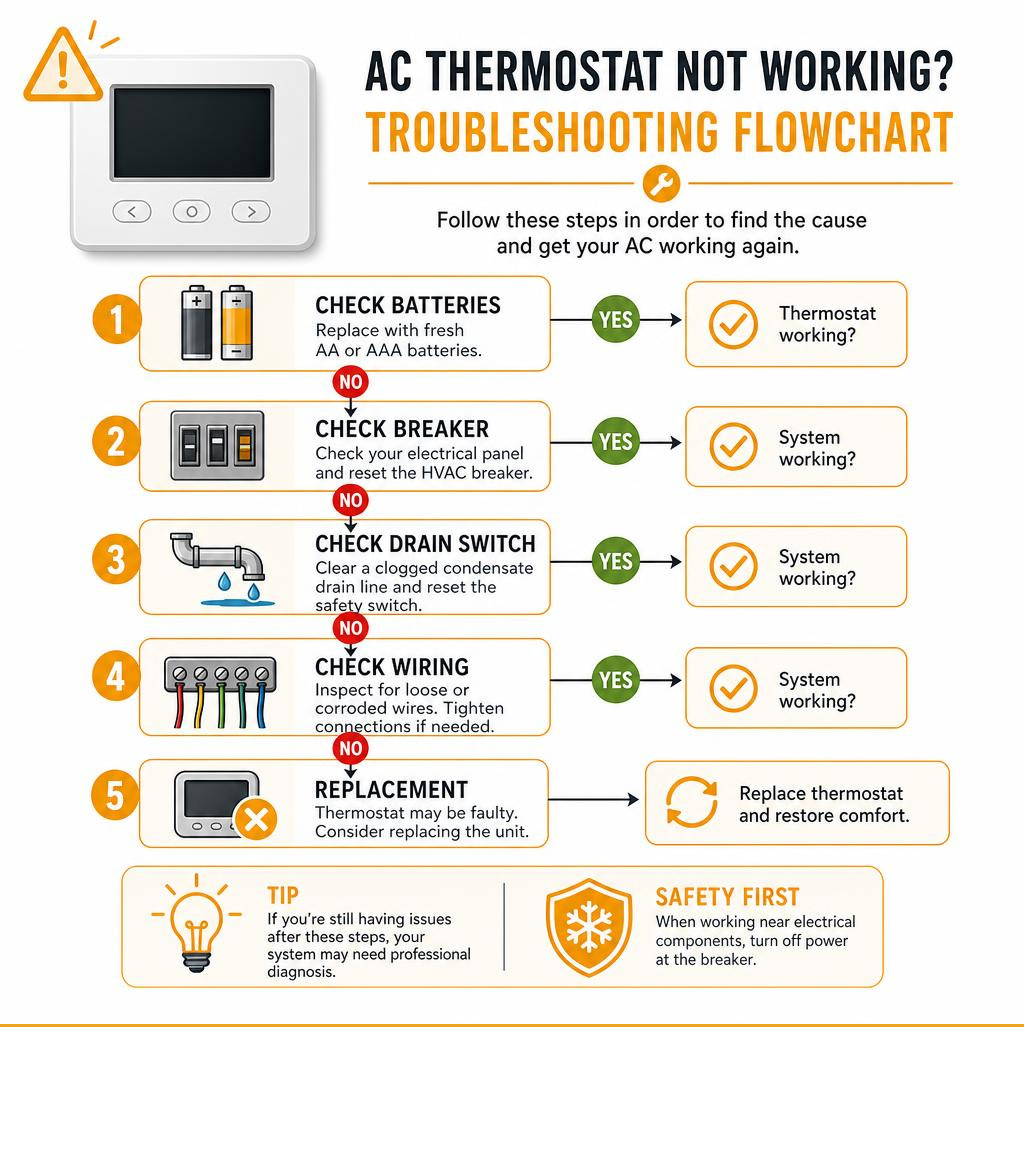
- Dead batteries – Replace with fresh alkaline AA or AAA batteries
- Tripped circuit breaker – Check your electrical panel and reset the HVAC breaker
- Clogged condensate drain line – A full drain pan triggers a safety switch that cuts power to the thermostat
- Blown internal fuse – A 3-amp fuse on the indoor unit control board may need replacing
- Incorrect settings – Verify the mode is set to Cool and the setpoint is below the current room temperature
- Loose or corroded wiring – Loose connections at the terminal block can break the signal to your HVAC system
- Thermostat hardware failure – Units older than 10 to 20 years may need full replacement
Thermostat issues account for roughly 25% of all no-cooling service calls, and a blank screen is the single most reported symptom. In most cases, the fix takes less than 15 minutes and costs nothing.
That said, some causes run deeper than a dead battery. A clogged drain line, a tripped 24-volt transformer, or a wiring fault can all look identical from the outside, making it important to work through the problem in the right order.
I’m Chris Woods, owner of Woods Comfort Systems, a third-generation HVAC company serving Central Texas since 1956, and over the decades my team has diagnosed hundreds of AC thermostat not working calls that turned out to have a straightforward fix once you know where to look. In the sections below, I’ll walk you through every step so you can get your system cooling again fast.
Common Reasons Your AC Thermostat Is Not Working
When your home begins to feel more like a Texas greenhouse than a comfortable retreat, the thermostat is the first place you look. As the brain of your cooling system, it monitors the ambient indoor temperature and coordinates the activities of your compressor, condenser fan, and indoor blower. If there is a breakdown in communication, the entire system grinds to a halt.
Understanding why your thermostat has stopped communicating requires looking at the system as an interconnected electrical circuit. Power issues, component failures, safety switch activations, and wiring problems can all interrupt this circuit.
Sometimes, the issue is not that the thermostat is completely dead, but rather that it is misreading the environment. If you find that your system is running but the indoor environment is uncomfortable, you might be dealing with a calibration problem. For a deeper dive into this specific issue, check out our guide on why your thermostat is showing the wrong temperature in San Marcos, TX to see how local humidity and placement affect your readings.
Dead Batteries and Power Issues
Many homeowners do not realize that even hardwired thermostats often use batteries as a backup or, in some cases, as their primary power source. When these batteries run low, the digital display will fade or go completely blank. Without sufficient battery power, the internal relays cannot click together to complete the 24-volt circuit that signals your AC to start.
For thermostats that do not use batteries, power is supplied directly from a 24-volt transformer located inside your indoor furnace or air handler. This constant supply is delivered through the common wire, often referred to as the C-wire. If this transformer fails, or if the C-wire connection is broken, your thermostat will lose power instantly. If you are working with a Trane brand control system, you can refer to the Trane thermostat troubleshooting guide for specific model layouts and wiring terminal locations.
Tripped Circuit Breakers and Blown Fuses
Your HVAC system relies on several electrical pathways to run safely. The outdoor condenser unit and the indoor air handler run on separate high-voltage circuits, but they share a low-voltage control circuit managed by the thermostat. If a power surge occurs, or if a component draws too much electrical current, a circuit breaker in your main electrical panel will trip.
Because the thermostat is tied into the indoor unit control circuit, a tripped double-pole breaker for your furnace or air handler will cut power to your thermostat, leaving you with a blank screen. Additionally, the indoor control board features a small automotive-style fuse, usually rated at 3 amps, designed to protect the expensive transformer from short circuits. If this fuse blows, the low-voltage control circuit breaks, and the thermostat goes dead.
Clogged Condensate Drain Lines and Safety Switches
One of the most common hidden causes of a blank thermostat screen in Central Texas is a clogged condensate drain line. As your AC cools, it removes incredible amounts of moisture from the humid Texas air. This water collects in a drain pan beneath your indoor evaporator coil and flows out of your home through a PVC drain line.
Over time, algae, dust, and mold can clog this line. To prevent water from overflowing and damaging your ceiling or floors, modern HVAC systems are equipped with a condensate float switch. When water backs up in the drain pan, the float rises, opening the switch and instantly cutting the 24-volt power to your thermostat. This safety feature protects your home from water damage, but it also completely disables your cooling system until the drain line is cleared.
How to Tell If the Problem Is the Thermostat or the HVAC System
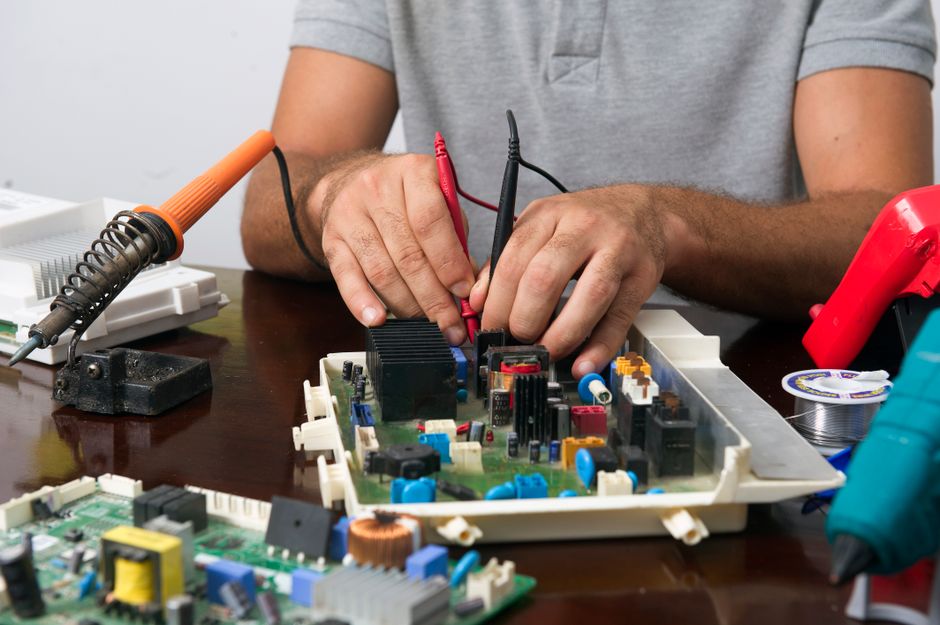
When your home is hot and the AC refuses to start, you must determine whether you are dealing with a localized thermostat failure or a broader mechanical breakdown within your cooling system. A simple diagnostic process can help you isolate the root cause before you call for professional assistance.
If the thermostat display is lit and appears to be functioning normally, but the AC still refuses to turn on, the problem could reside in either the control signals or the HVAC equipment itself. This situation is highly comparable to heating issues, where the control panel looks fine but the equipment remains silent. You can learn more about this diagnostic crossover by reading our article on what to do when you have a furnace not turning on but thermostat working to understand how control signals interact with indoor heating and cooling units.
Testing the Thermostat Signal Directly
To verify if the thermostat is successfully sending signals to your air handler, you can perform a manual test at the thermostat wall plate. First, turn off the power to your HVAC system at the circuit breaker panel to ensure your safety. Carefully pull the thermostat body off its wall-mounting plate to expose the terminal block and the colored control wires.
The standard wiring code for HVAC systems uses specific letters to designate functions:
- R (or Rc): 24-volt power supply from the transformer
- Y: Compressor (cooling)
- G: Indoor blower fan
- W: Heating
By using a small jumper wire to connect the R terminal to the G terminal, and then restoring power, you should hear your indoor blower fan turn on. If the fan runs when jumpered but refuses to run when controlled by the thermostat, the thermostat or its internal programming is faulty. If nothing happens when jumpered, the issue lies further down the line with your control board, transformer, or blower motor.
Signs of a Broader HVAC System Issue
If your manual testing proves that the thermostat is sending the correct signals, but your home remains warm, the issue is likely a mechanical or electrical failure within the AC unit itself. There are several classic warning signs that point toward equipment failure rather than a control issue:
- Short Cycling: If the system turns on but shuts off after only a few minutes, it may be overheating due to a clogged air filter, or the evaporator coil may be freezing over.
- Frozen Evaporator Coil: Ice buildup on the indoor coil or the brass refrigerant lines outside indicates restricted airflow or a refrigerant leak.
- Outdoor Unit Silence: If you hear your indoor fan running but the outdoor condenser remains silent, you could have a failed compressor capacitor, a bad contactor, or a tripped outdoor disconnect switch.
- Clicking or Humming: Unusual noises coming from the outdoor unit when the thermostat calls for cooling suggest that electrical power is reaching the unit, but a mechanical component is seized or failing to start.
Step-by-Step Guide to Troubleshooting Your System
Before you panic and prepare for a costly repair, work through this structured troubleshooting process. Many thermostat and AC issues can be diagnosed and resolved using basic tools and a systematic approach.
| Troubleshooting Step | Difficulty Level | Tools Required | Est. Time |
|---|---|---|---|
| Check Display & Batteries | Very Easy | Fresh AA/AAA Batteries | 5 Mins |
| Reset Circuit Breakers | Easy | None | 5 Mins |
| Inspect Air Filter | Easy | Replacement Filter | 5 Mins |
| Clear Condensate Line | Moderate | Wet/Dry Vacuum, Tape | 15 Mins |
| Inspect Low-Voltage Wiring | Moderate | Screwdriver, Multimeter | 15 Mins |
If you walk through these steps and find that your thermostat is functional but the temperatures in your home still fluctuate wildly, it may simply require professional adjustment. For detailed instructions on how to handle this, refer to our comprehensive guide on thermostat calibration and optimization to restore perfect accuracy to your system.
Quick Fixes for an AC Thermostat Not Working
Let us begin with the easiest, non-invasive checks. Often, a simple settings error or a minor system glitch is all that stands between you and a cool home.
Step 1: Check the Display and Settings
First, look closely at your thermostat screen. If the screen is completely blank, pull the cover off the wall plate and replace the batteries immediately. Always use high-quality, fresh alkaline batteries; rechargeable or cheap zinc-carbon batteries often fail to provide the consistent voltage required to operate low-voltage relays.
If the display is active, verify your settings:
- Ensure the system mode is explicitly set to Cool.
- Verify that the fan setting is set to Auto rather than On if you only want it to blow when actively cooling.
- Check the temperature setpoint. It must be set at least 3 degrees below the current room temperature to trigger a call for cooling.
- Look for a lock icon or a child lock status on the user interface. Many modern digital thermostats can be unlocked by holding down the plus (+) and minus (-) buttons simultaneously for five seconds.
Step 2: Perform a Thermostat Reset
Just like a computer or a smartphone, digital thermostats can experience software glitches that freeze their programming. Performing a system reset can clear these errors and restore normal communication. For many digital models, you can perform a soft reset by removing the batteries, waiting sixty seconds, and reinserting them.
For smart or Wi-Fi connected thermostats, you may need to perform a factory reset through the settings menu or power-cycle the device by turning off the HVAC circuit breaker for thirty seconds before turning it back on. If you are troubleshooting a smart system and need manufacturer-specific assistance, you can consult the Honeywell Home cooling support resources for detailed software reset steps and firmware update advice.
Step 3: Inspect the Wiring and Placement
If resetting the system does not work, turn off the power at your electrical panel and remove the thermostat cover to inspect the physical wiring connections. Over time, normal home vibrations can loosen the small terminal screws, causing wires to slip out of their ports. Inspect the copper wires for signs of corrosion, fraying, or rodent damage. If you see corroded copper, you can gently strip the wire back to expose clean metal and re-secure it to the appropriate terminal.
Additionally, consider the physical placement of your thermostat. If it is mounted in direct sunlight, near a drafty window, or directly across from an AC supply register, it will experience false temperature readings. Drafts pushing through the wall cavity behind the thermostat can also trick the sensor into thinking the room is much cooler or warmer than it actually is, causing the system to behave erratically.
When to Call a Professional HVAC Technician
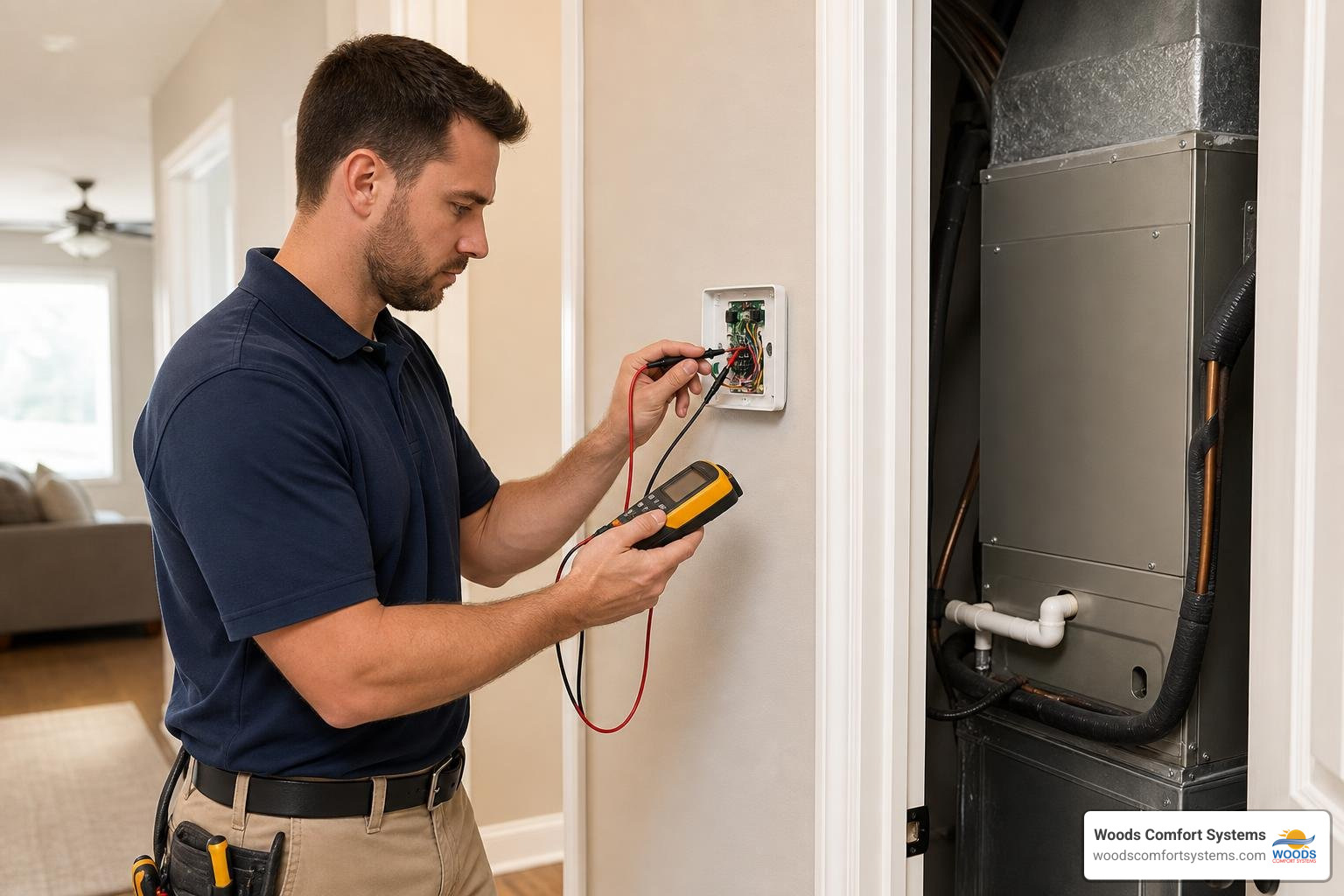
While basic troubleshooting steps like changing batteries or resetting a circuit breaker are perfectly safe for homeowners to perform, there are clear limits to DIY repairs. Working with high-voltage electrical panels, complex control boards, and pressurized refrigerant lines carries significant safety risks and requires specialized training.
If you have worked through the basic troubleshooting steps and your thermostat remains blank or your AC still refuses to blow cold air, it is time to seek professional help. Our team of experienced technicians provides fast, reliable professional AC repair services throughout San Marcos, TX and the surrounding areas to get your home back to a comfortable temperature safely.
Professional Solutions for an AC Thermostat Not Working
When a professional HVAC technician arrives at your home, they bring specialized diagnostic tools to pinpoint the exact failure point quickly. A technician will:
- Use a digital multimeter to trace the 24-volt circuit from the thermostat back to the control board, identifying broken connections or failed relays.
- Inspect the 24-volt transformer for signs of overheating or electrical shorts.
- Safely clear clogged condensate drain lines using high-pressure drain guns or industrial wet-dry vacuums, and test the float safety switches for proper operation.
- Calibrate your thermostat sensor to ensure it accurately reads the ambient air temperature.
Safety Precautions Before Inspecting HVAC Wiring
If you do decide to inspect your thermostat wiring or open your indoor air handler cover, you must prioritize electrical safety. The indoor air handler runs on 120-volt or 240-volt electricity, which can cause severe electrical shock or death if handled improperly.
- Always Turn Off the Power: Locate your main electrical panel and flip the breakers labeled “AC,” “Air Handler,” “Furnace,” or “HVAC” to the Off position.
- Verify Power is Off: Use a non-contact voltage tester at the thermostat and the indoor unit to confirm that no electrical current is active before touching any wires.
- Never Touch the Capacitor: The outdoor condenser unit contains a large run capacitor that stores high-voltage electrical energy even after the power is turned off. Touching the terminals of a charged capacitor can deliver a dangerous shock.
Signs You Need a New Thermostat Instead of a Repair
Thermostats, like all electronic devices, have a finite lifespan. While older mechanical mercury-switch models could last for decades, modern digital and smart thermostats typically perform reliably for 10 to 15 years. If your thermostat is reaching the end of its useful life, you may notice several warning signs:
- Frequent Calibration Loss: If you constantly have to adjust the temperature offset because the thermostat reads the room temperature incorrectly, the internal thermistor is failing.
- Unresponsive Controls: Buttons that fail to register when pressed or a touchscreen that lags or remains frozen indicate physical hardware degradation.
- Frequent System Short Cycling: A failing thermostat can lose its ability to maintain a consistent temperature differential, causing your AC to cycle on and off rapidly, which places extreme wear on your compressor.
If you reside in the Comal County area, you can learn more about choosing the right replacement unit by reading our guide on the signs you need a new thermostat for your Fischer, TX home to ensure you select a model compatible with our local climate.
Upgrading to a Smart Thermostat for Better Efficiency
If you need to replace your old thermostat, upgrading to a modern smart model is an investment that quickly pays for itself. Smart thermostats offer advanced programming options, remote smartphone access, and energy-tracking features that can reduce your heating and cooling costs by up to 10% annually.
By learning your daily schedule and automatically adjusting temperatures when you are away, these devices eliminate energy waste without sacrificing your comfort. To explore how these modern upgrades can transform your home comfort, read about the many benefits of a smart thermostat and how they integrate seamlessly with modern, high-efficiency cooling systems.
Frequently Asked Questions About Thermostat Troubleshooting
Why is my AC thermostat screen completely blank?
A completely blank screen typically indicates a total loss of power. The most common causes are dead batteries, a tripped circuit breaker in your electrical panel, or a tripped condensate float switch caused by a clogged drain line. Replace the batteries and check your electrical panel first. If the display remains blank, you may have a blown 3-amp fuse on your indoor control board or a failed transformer.
Can a clogged air filter cause my thermostat to stop working?
A clogged air filter does not directly cut power to your thermostat, but it can trigger a system shutdown that makes it look like your thermostat has failed. Restricted airflow causes the evaporator coil to freeze, or the furnace to overheat, triggering safety switches that cut power to the low-voltage control circuit. Always check and replace dirty filters monthly during peak cooling seasons.
How do I know if my AC thermostat is bad or just needs new batteries?
If your thermostat screen is blank, replace the batteries with fresh alkaline AA or AAA batteries. If the screen turns on and the system responds, the issue was simply dead batteries. If the display remains blank with fresh batteries, or if the screen is lit but the thermostat fails to turn on the AC even when jumpered directly, the thermostat hardware has failed and needs replacement.
Why does my thermostat say the AC is on but no cold air is blowing?
If your thermostat shows “Cool On” or a snowflake icon, but your home is warm, the thermostat is successfully sending the call for cooling, but the HVAC equipment is failing to respond. This is usually caused by a tripped outdoor disconnect breaker, a failed outdoor run capacitor, a bad contactor, or low refrigerant levels due to a system leak.
How often should I replace the batteries in my AC thermostat?
We recommend replacing your thermostat batteries once a year. A great rule of thumb is to change your thermostat batteries at the same time you change your smoke detector batteries, such as during daylight saving time transitions. Always use high-quality alkaline batteries rather than rechargeable options.
Can a tripped circuit breaker damage my thermostat?
A standard tripped breaker will not damage your thermostat; it simply cuts power to protect the circuit. However, the power surge or electrical short that caused the breaker to trip can sometimes damage the low-voltage transformer or the delicate circuitry inside a digital thermostat. If a breaker trips repeatedly, do not continue resetting it; call a professional to locate the short.
Why is my thermostat showing the wrong indoor temperature?
This is usually caused by poor placement, wall drafts, or dust accumulation. If your thermostat is mounted near a window, in direct sunlight, or near a cooling vent, it will read artificial temperatures. Additionally, cold air seeping through the wire hole in the drywall behind the thermostat can trick the sensor.
How do I reset my digital AC thermostat?
To reset a standard digital thermostat, remove the faceplate from the wall and take out the batteries for sixty seconds before reinserting them. For smart thermostats, navigate to the settings menu and look for a “Restart” or “Factory Reset” option. Alternatively, you can turn off the HVAC circuit breaker for thirty seconds to power-cycle the entire system.
What is a condensate safety switch and how does it affect my thermostat?
A condensate safety switch, or float switch, is a small device installed in your AC drain pan or drain line. If the drain line clogs and water backs up, the float rises and opens the electrical switch. This instantly cuts the 24-volt power to your thermostat, shutting down the AC to prevent water from overflowing and damaging your home.
Is it safe to change my own thermostat wiring?
Thermostat wiring runs on low-voltage 24-volt electricity, which does not carry a risk of severe electrocution. However, miswiring a thermostat can easily short out your indoor control board, blow the 3-amp fuse, or destroy the 24-volt transformer, leading to costly professional repairs. If you are not comfortable reading a wiring diagram, it is best to leave installation to a professional.
Conclusion
Dealing with an AC thermostat not working can be incredibly disruptive, especially during the peak of a hot Texas summer. Fortunately, by systematically checking your batteries, circuit breakers, system settings, and condensate drain lines, you can resolve the majority of common thermostat issues on your own.
However, when simple troubleshooting steps fail to restore power, or when you suspect a deeper electrical short or mechanical issue within your air handler, attempting DIY wiring repairs can put your expensive HVAC equipment at risk. When you need fast, professional, and reliable assistance, you can count on the experienced team at Woods Comfort Systems. With over sixty years of dedicated service to families across San Marcos, TX, Austin, TX, and the surrounding Central Texas communities, we treat every customer like royalty. If your home is heating up and you need expert support, do not hesitate to schedule professional HVAC service with our friendly, NATE-certified technicians today.